What not to share
What it is
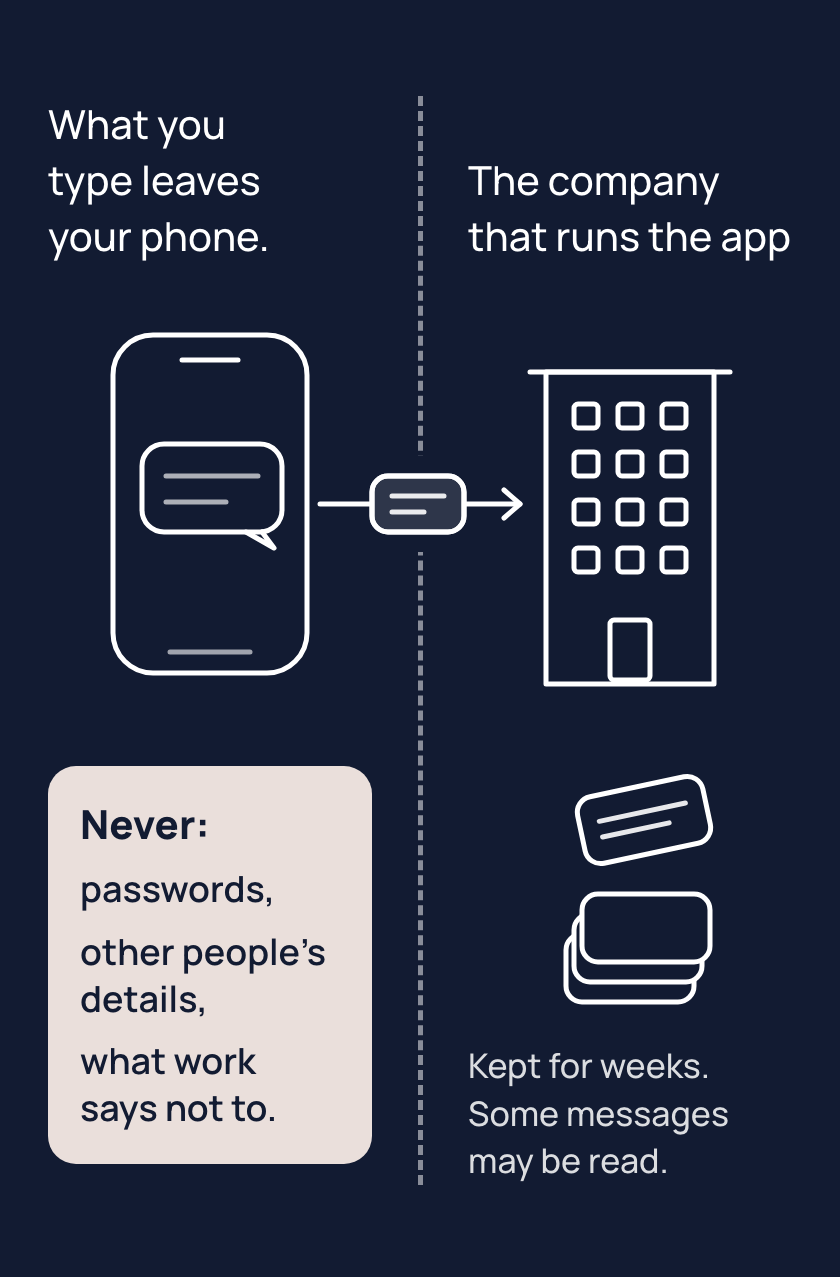
A message you send in an AI app goes to the company that runs it. That company can keep it for weeks, and sometimes much longer, even after you delete it, and a person who works there may read some chats, for example to check for misuse. Changing your app's settings can cut down who sees your message, but none keeps it to you alone.
Some things never go into an AI chat: passwords and anything that unlocks an account, other people's private details, and anything your workplace has told you not to put into an AI. If a message has a client's phone number, take the number out. Your AI app can still write the reply.
Your boundary is one line, in your words, naming the things that never go in for you. Write it where you'll see it, like a phone note, or say it before you paste.
Tips
- Before you paste, take out the names, numbers and passwords the task does not need, because whatever you type may be kept and read.
- Write your boundary as one line, because a line you know by heart is one you think of before you paste.
- Treat a deleted chat as kept, because the company that runs the app can keep a copy for weeks, or longer, after you delete it. Some chats are read too. A temporary chat, one the app leaves out of your history, is still kept for a short time.
Try it
- Pick a real message with someone's details in it, such as a client's name and phone number.
- Before anything goes into a chat, replace the details with plain words like "a client" and "a phone number".
- Paste the changed message into your AI app and ask it to write the reply.
Expect a result that is usually as good as it would have been with the details. If your AI app asks for a detail, give it a made-up one.
Risks
- A password, or anything that unlocks an account, pasted into a chat is kept by the company that runs the app and may be read. If you have pasted a password, change that password now. Leave passwords out of every chat from now on.
- Someone else's private details, pasted into a chat, are kept and may be read like your own. Take them out before you paste; the task usually works without them.
- A deleted chat or a temporary chat feels gone, but the company that runs the app still keeps a copy for days or weeks, and sometimes much longer. Choose what to paste as if it will be kept, and take out what the task does not need.
- Your work may say what can go into an AI chat. Ask your manager, or check your workplace's rules, before you paste anything from work.
Why it matters
Once your boundary is a line you know, you stop before the paste instead of after. Knowing the line lets you use your AI app on real work, with the names and numbers taken out.